

|
|


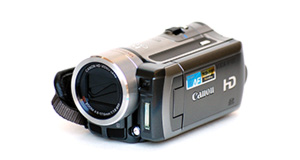
Panasonic HC-V100 overview
Number of problems: 6
Number of solved problems: 5
Number of unsolved problems: 1
Problem resolution: 83%
Compared to other camcorders and video cameras:
Panasonic HC-V100: Likelihood of getting a solution
Ranking: 10th out of 100
Most likely to get a solution:
Toshiba Camileo X200 - problem resolution score of 100%
Toshiba Camileo X200 - problem resolution score of 100%
Least likely to get a solution:
Samsung HMX-F90 - 5 out of 29 problems solved
Samsung HMX-F90 - 5 out of 29 problems solved
Solved problem list for the Panasonic HC-V100
(Click on a problem to see the solution)My camcorder won't focus on close-up objects
Out of space.
Battery keeps running out too quickly.
I can't watch videos on my computer
I can't transfer videos to the computer via USB.
Unsolved problem list for the Panasonic HC-V100
(Click on a problem to comment or help)screen doesn't come on
When camera is plugged into charge the red light flashes on and off but the camera remains dead. Either with or without mains connection cannot switch it on or find any sign of life ! Could this just be the battery. The camera was quite new when it stopped working and has been in its box for the last 2 years.
My panasonic HCV100 will not power up despite a new charged battery, I took off the covers and it came back to life, put covers back on and it goes back to not powering up again.
Camera will not turn on with activating either the power button or the LCD monitor. A new battery was fully charged and that didn't help. The camera hasn't been used for about a year and was stored with the battery removed. Help?
The LCD screen is totally black.
After a few hours of use my Panasonic HC V100 (and a touch screen version of the same model) would not realiably (or not at all) start, when the screen was opened.
5 seconds or 20 seconds with some tapping seemed to be the trick, which suggests a loose connection or dry joint issue.
What is the solution, and is there a simple "unscrew and look" type fix.
Solutions for the Panasonic HC-V100
0 people also had this problem.
Problem: My camcorder won't focus on close-up objects
There are 0 comments on this problem.
Solution 1: Your camcorder's autofocus is probably having problems locking on to objects in the foreground. In the settings menu, choose the macro function where available. You'll see it shown with an icon of a small flower.
0 out of 0 people found this solution helpful.
Was this solution helpful?
There are 0 comments on this solution.

0 people also had this problem.
Problem: Out of space.
There are 0 comments on this problem.
Solution 1: You need to back up your recordings. Copy them to a computer. If you record them to a DVD, don't rely on this to store your precious videos. Recordable DVDs degrade over time.
0 out of 0 people found this solution helpful.
Was this solution helpful?
There are 0 comments on this solution.
0 people also had this problem.
Problem: Battery keeps running out too quickly.
There are 0 comments on this problem.
Solution 1: Rechargable batteries have a limited life and they hold their charge less and less as their life goes on. You probably need a new battery.
To help your battery last longer, try to charge it fully every time and don't stop it charging when it's not finished.
If your unit is brand new, it might have a faulty battery. Contact your retailer.
0 out of 0 people found this solution helpful.
Was this solution helpful?
There are 0 comments on this solution.
0 people also had this problem.
Problem: I can't watch videos on my computer
There are 0 comments on this problem.
Solution 1: Your computer might not have the right software installed to watch the kind of video your camera takes. Install the software that came with your camera, or as an alternative, Google "VLC" for a great video player that will install on most computers and play almost all kinds of video.
0 out of 0 people found this solution helpful.
Was this solution helpful?
There are 0 comments on this solution.


