

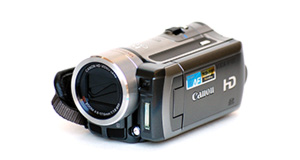
|
|


Toshiba Camileo Z100 overview
Number of problems: 5
Number of solved problems: 5
Number of unsolved problems: 0
Problem resolution: 100%
Compared to other camcorders and video cameras:
Toshiba Camileo Z100: Likelihood of getting a solution
Ranking: 2nd out of 100
Most likely to get a solution:
Toshiba Camileo X200 - problem resolution score of 100%
Toshiba Camileo X200 - problem resolution score of 100%
Least likely to get a solution:
Samsung HMX-F90 - 5 out of 29 problems solved
Samsung HMX-F90 - 5 out of 29 problems solved
Solved problem list for the Toshiba Camileo Z100
(Click on a problem to see the solution)My camcorder won't focus on close-up objects
Out of space.
I can't watch videos on my computer
I can't transfer videos to the computer via USB.
in 3d mode screen is going fully black & camera hangs with all of its buttons and only way remains to switch off the camera is to remove the battery.
Battery keeps running out too quickly.
I put my camera to charge and the lights turn on for a couple seconds then they turn off.Then once I turn on the camera it didn't charge at all.
Unsolved problem list for the Toshiba Camileo Z100
(Click on a problem to comment or help)When I pause my Z100 while recording , video freezes and sound keeps recording . How to I pause the sound as well as video
I have recorded video on my Toshiba Camileo Z100 and have used the pause button at various points. The video stops and shows a still picture but the sound keeps recording. When I look at the recorded video in the video editor this happens at quite a few points but when I run the program backwards it shows I have recorded video where it shows a still picture. Can I recover the lost footage ??
Solutions for the Toshiba Camileo Z100
0 people also had this problem.
Problem: My camcorder won't focus on close-up objects
There are 0 comments on this problem.
Solution 1: Your camcorder's autofocus is probably having problems locking on to objects in the foreground. In the settings menu, choose the macro function where available. You'll see it shown with an icon of a small flower.
0 out of 0 people found this solution helpful.
Was this solution helpful?
There are 0 comments on this solution.

0 people also had this problem.
Problem: Out of space.
There are 0 comments on this problem.
Solution 1: You need to back up your recordings. Copy them to a computer. If you record them to a DVD, don't rely on this to store your precious videos. Recordable DVDs degrade over time.
0 out of 0 people found this solution helpful.
Was this solution helpful?
There are 0 comments on this solution.
0 people also had this problem.
Problem: I can't watch videos on my computer
There are 0 comments on this problem.
Solution 1: Your computer might not have the right software installed to watch the kind of video your camera takes. Install the software that came with your camera, or as an alternative, Google "VLC" for a great video player that will install on most computers and play almost all kinds of video.
0 out of 0 people found this solution helpful.
Was this solution helpful?
There are 0 comments on this solution.
0 people also had this problem.
Problem: I can't transfer videos to the computer via USB.
There are 0 comments on this problem.
Solution 1: 1) Check your USB cable is plugged in fully.
2) Check your camera is connected to a power source, the best is mains power (even if your camera has a good battery).
3) You might have to put the camera into "play" more (rather than "record" mode.
0 out of 0 people found this solution helpful.
Was this solution helpful?
There are 0 comments on this solution.


