

|
|


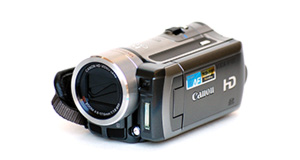
Polaroid XS7 overview
Number of problems: 15
Number of solved problems: 7
Number of unsolved problems: 8
Problem resolution: 47%
Compared to other camcorders and video cameras:
Polaroid XS7: Likelihood of getting a solution
Ranking: 5th out of 100
Most likely to get a solution:
Toshiba Camileo X200 - problem resolution score of 100%
Toshiba Camileo X200 - problem resolution score of 100%
Least likely to get a solution:
Samsung HMX-F90 - 5 out of 29 problems solved
Samsung HMX-F90 - 5 out of 29 problems solved
Solved problem list for the Polaroid XS7
(Click on a problem to see the solution)My camcorder won't focus on close-up objects
Out of space.
I can't watch videos on my computer
I can't transfer videos to the computer via USB.
Camera froze up and will not work now
How do I reset it?
Brand new out of the box and will not turn on
Battery keeps running out too quickly.
MY XS7 DOES NOT CHARGE, AND I CANNOT USE IT.
WHEN IT LIGHTS ON THE SCREEN REMAIN LIGHTED FOR 3 SECONDS AND LIGHTS OFF. I CANNOT TAKE ANY PICTURE OR VIDEO. THANKS FOR HELP
Unsolved problem list for the Polaroid XS7
(Click on a problem to comment or help)Batteries that came with XS7 camera only give me about 40 min. video recording. Does anyone have the technical specs on these batteries or where I can get new batteries to lengthen the recording time to 1.5-2hrs.
Batteries that came with XS7 camera only give me about 40 min. video recording. Does anyone have the technical specs on these batteries or where I can get new batteries to lengthen the recording time to 1.5-2hrs.
I've set everything up and taken a few videos but can't play anything Back on the camera screen. The touch screen doesn't appear to be working at all. I've followed the user manual but nothing's working.
Please assist
on my xs7 the right top button won't push down how do i fix that
After four or five uses camera will not power up, appears to charge. Was always used in case and has literally had only minutes of use.
using the xs7 as a dash cam but will not work while plugged into usb socket. only when on battery.
The camera will turn on when plugged in but will just show a blue screen with MSDC on it. If not plugged in the camera will not turn on.
I unplugged USB from Mac without unmounting.
LCD screen now frozen in 'MSDC' mode.
No response by Power or any other buttons.
No reset button (hole) found between USB and card slot.
USB connection now gives no response.
Charging light stays on no matter length of charge and on/off button does not appear to be working. (This a new camera given as gift) Screen shows MSDC or PC cam but only when connected to computer and nothing when disconnected.
My camera's busy light won't switch off and my cameta won't turn on.
Solutions for the Polaroid XS7
0 people also had this problem.
Problem: My camcorder won't focus on close-up objects
There are 0 comments on this problem.
Solution 1: Your camcorder's autofocus is probably having problems locking on to objects in the foreground. In the settings menu, choose the macro function where available. You'll see it shown with an icon of a small flower.
0 out of 0 people found this solution helpful.
Was this solution helpful?
There are 0 comments on this solution.

0 people also had this problem.
Problem: Out of space.
There are 0 comments on this problem.
Solution 1: You need to back up your recordings. Copy them to a computer. If you record them to a DVD, don't rely on this to store your precious videos. Recordable DVDs degrade over time.
0 out of 0 people found this solution helpful.
Was this solution helpful?
There are 0 comments on this solution.
0 people also had this problem.
Problem: I can't watch videos on my computer
There are 0 comments on this problem.
Solution 1: Your computer might not have the right software installed to watch the kind of video your camera takes. Install the software that came with your camera, or as an alternative, Google "VLC" for a great video player that will install on most computers and play almost all kinds of video.
0 out of 0 people found this solution helpful.
Was this solution helpful?
There are 0 comments on this solution.
0 people also had this problem.
Problem: I can't transfer videos to the computer via USB.
There are 0 comments on this problem.
Solution 1: 1) Check your USB cable is plugged in fully.
2) Check your camera is connected to a power source, the best is mains power (even if your camera has a good battery).
3) You might have to put the camera into "play" more (rather than "record" mode.
0 out of 0 people found this solution helpful.
Was this solution helpful?
There are 0 comments on this solution.


