

|
|


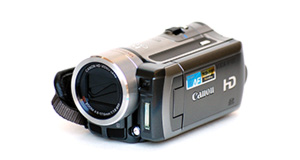
Polaroid XS100 overview
Number of problems: 22
Number of solved problems: 12
Number of unsolved problems: 10
Problem resolution: 55%
Compared to other camcorders and video cameras:
Polaroid XS100: Likelihood of getting a solution
Ranking: 3rd out of 100
Most likely to get a solution:
Toshiba Camileo X200 - problem resolution score of 100%
Toshiba Camileo X200 - problem resolution score of 100%
Least likely to get a solution:
Samsung HMX-F90 - 5 out of 29 problems solved
Samsung HMX-F90 - 5 out of 29 problems solved
Solved problem list for the Polaroid XS100
(Click on a problem to see the solution)Jump to page:
[1] [2]
How long can you record in FHD on a 32GB card?
Out of space.
I purchased a Polaroid XS100 just a few months back and now the thing is unusable as it will not charge.
I noticed that it kept flashing the green LED and turning off, I thought it was that the battery was dead or SD card might be full.
I plugged it into the computer thinking it would be charging and formatted the SD CARD.
As the red light was off figured that the battery was charged. Looking back I do not recall seeing the red light on.
I then tried using it and ... it started flashing green and turned off.
Now, when I got home I tried plugging it in to a computer, but the red LED light does not show at all.
I am assuming that the flashing is because the battery is dead - but how can I charge it?
I have so many of those USB cables from various devices but I am assuming they are all the same. I have used a few cables including the one that came with the device and the same issue is there, no red LED when plugged in. And I have used 2 computers too, same, no red LED.
Any ideas? Kind of annoying given I have only used it a few times.
Battery keeps running out too quickly.
Just got a XS100 as a gift. Haven't used it yet but would like to know if anyone has ever tried to replace the internal battery with a replacement? As I understand it, once the battery dies for good you throw away the camera because it is supposedly non-replaceable!Not a great design feature in my mind!Would love to know who has tried this and if they were successful or not. Thanks
Like many others here my camera records for about 5 seconds and then vibrates like memory is full even though it's completely empty. I originally formatted on mac, have since switched to PC and reset and still it vibrates super long like it's all full. So frustrated and desperate! Any help that doesnt require me leaving the camera connected to a screen in order to record?
Not getting any audio. Only used it twice.
Where can we find the driver to setup the XS100, the driver on the memory does not load and the one from the website does not connect the camera?
have no sound
Unsolved problem list for the Polaroid XS100
(Click on a problem to comment or help)Jump to page:
[1] [2]
Solutions for the Polaroid XS100
0 people also had this problem.
Problem: How long can you record in FHD on a 32GB card?
There are 0 comments on this problem.
Solution 1: About 3h 21m and 4h 10m on 720p
1 out of 1 person found this solution helpful.
Was this solution helpful?
There are 0 comments on this solution.

1 person also had this problem.
Problem: Out of space.
There are 0 comments on this problem.
Solution 1: You need to back up your recordings. Copy them to a computer. If you record them to a DVD, don't rely on this to store your precious videos. Recordable DVDs degrade over time.
0 out of 0 people found this solution helpful.
Was this solution helpful?
There are 0 comments on this solution.
5 people also had this problem.
Problem: I purchased a Polaroid XS100 just a few months back and now the thing is unusable as it will not charge.
I noticed that it kept flashing the green LED and turning off, I thought it was that the battery was dead or SD card might be full.
I plugged it into the computer thinking it would be charging and formatted the SD CARD.
As the red light was off figured that the battery was charged. Looking back I do not recall seeing the red light on.
I then tried using it and ... it started flashing green and turned off.
Now, when I got home I tried plugging it in to a computer, but the red LED light does not show at all.
I am assuming that the flashing is because the battery is dead - but how can I charge it?
I have so many of those USB cables from various devices but I am assuming they are all the same. I have used a few cables including the one that came with the device and the same issue is there, no red LED when plugged in. And I have used 2 computers too, same, no red LED.
Any ideas? Kind of annoying given I have only used it a few times.
There are 0 comments on this problem.
Solution 1: I had the same problem. I decided to plug it into the computer and keep it pluggued even if the red light was not on. I've waited approximately 1 hour. Then, I took the camera. I made a short video (about 1 minute). I turned off the Camera and pluggued it back in the computer. The red light turned on and the camera is now working great!
So, you can now assume that if the battery is completely dead, the first time that you will plug it, the red light won't turn on. But keep it pluggued even if the red light is not on and it is still charging. Well, this is what happened to me! Good luck!
0 out of 1 person found this solution helpful.
Was this solution helpful?
There are 0 comments on this solution.
1 person also had this problem.
Problem: Battery keeps running out too quickly.
There are 0 comments on this problem.
Solution 1: Rechargable batteries have a limited life and they hold their charge less and less as their life goes on. You probably need a new battery.
To help your battery last longer, try to charge it fully every time and don't stop it charging when it's not finished.
If your unit is brand new, it might have a faulty battery. Contact your retailer.
0 out of 0 people found this solution helpful.
Was this solution helpful?
There are 0 comments on this solution.


