

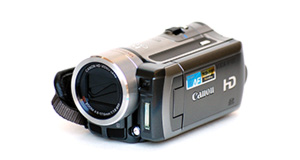
|
|


Aiptek AHD H500 overview
Number of problems: 7
Number of solved problems: 5
Number of unsolved problems: 2
Problem resolution: 71%
Compared to other camcorders and video cameras:
Aiptek AHD H500: Likelihood of getting a solution
Ranking: 66th out of 100
Most likely to get a solution:
Toshiba Camileo X200 - problem resolution score of 100%
Toshiba Camileo X200 - problem resolution score of 100%
Least likely to get a solution:
Samsung HMX-F90 - 5 out of 29 problems solved
Samsung HMX-F90 - 5 out of 29 problems solved
Solved problem list for the Aiptek AHD H500
(Click on a problem to see the solution)My camcorder won't focus on close-up objects
Out of space.
Battery keeps running out too quickly.
I can't watch videos on my computer
I can't transfer videos to the computer via USB.
Unsolved problem list for the Aiptek AHD H500
(Click on a problem to comment or help)Since a few months the sound is recorded with a klicking background noise. This can be even heard while the video is made. I will be grateful for a solution or an explantion.
When im recording movies , then playback them , im noticing a play speed problem , this speed isnt stable
sometimes the video plays normally and sometimes it goes faster .
I know this isnt my laptop issue because the problem is noticeable on the camcorder itself when playback .
Kindly help me to solve this issue ,
am I using a non compatible memory card ? and if yes which should i use ( im using Sandisk SHDC , 8GB memory card Class 4)
Hay, ich habe folgendes Problem mit meiner Aiptek AHD H 500. Und zwar funktioniert der Ton nicht wenn ich die Videos von der Karte auf den Lappi bzw stand PC ziehe. wenn ich sie direkt mit dem Kabel am Fernseher anschliesse dann gehts! Hat jemand eine Losung fur mich !
Hi, I have the following problem with my Aiptek AHD H500 - the sound does not work when I watch videos from the memory card on the computer. when I plug the cable directly to TV then it's OK! Does anyone have a solution for me!
Solutions for the Aiptek AHD H500
0 people also had this problem.
Problem: My camcorder won't focus on close-up objects
There are 0 comments on this problem.
Solution 1: Your camcorder's autofocus is probably having problems locking on to objects in the foreground. In the settings menu, choose the macro function where available. You'll see it shown with an icon of a small flower.
0 out of 0 people found this solution helpful.
Was this solution helpful?
There are 0 comments on this solution.

0 people also had this problem.
Problem: Out of space.
There are 0 comments on this problem.
Solution 1: You need to back up your recordings. Copy them to a computer. If you record them to a DVD, don't rely on this to store your precious videos. Recordable DVDs degrade over time.
0 out of 0 people found this solution helpful.
Was this solution helpful?
There are 0 comments on this solution.
0 people also had this problem.
Problem: Battery keeps running out too quickly.
There are 0 comments on this problem.
Solution 1: Rechargable batteries have a limited life and they hold their charge less and less as their life goes on. You probably need a new battery.
To help your battery last longer, try to charge it fully every time and don't stop it charging when it's not finished.
If your unit is brand new, it might have a faulty battery. Contact your retailer.
0 out of 0 people found this solution helpful.
Was this solution helpful?
There are 0 comments on this solution.
0 people also had this problem.
Problem: I can't watch videos on my computer
There are 0 comments on this problem.
Solution 1: Your computer might not have the right software installed to watch the kind of video your camera takes. Install the software that came with your camera, or as an alternative, Google "VLC" for a great video player that will install on most computers and play almost all kinds of video.
0 out of 0 people found this solution helpful.
Was this solution helpful?
There are 0 comments on this solution.


