

|
|


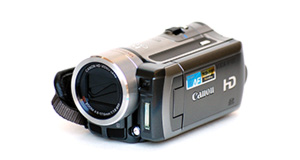
Panasonic HC-V510 overview
Number of problems: 12
Number of solved problems: 5
Number of unsolved problems: 7
Problem resolution: 42%
Compared to other camcorders and video cameras:
Panasonic HC-V510: Likelihood of getting a solution
Ranking: 8th out of 100
Most likely to get a solution:
Toshiba Camileo X200 - problem resolution score of 100%
Toshiba Camileo X200 - problem resolution score of 100%
Least likely to get a solution:
Samsung HMX-F90 - 5 out of 29 problems solved
Samsung HMX-F90 - 5 out of 29 problems solved
Solved problem list for the Panasonic HC-V510
(Click on a problem to see the solution)My camcorder won't focus on close-up objects
Out of space.
Battery keeps running out too quickly.
I can't watch videos on my computer
I can't transfer videos to the computer via USB.
Unsolved problem list for the Panasonic HC-V510
(Click on a problem to comment or help)How to I hide Video Counter on Play-Back
i got problem in screen erroe please turn off unit then turn on again
HC-V510 records to SD card, and playback on the unit is seamless and streams perfectly through the entire recording. However, when the SD card is removed from the unit and playback is performed on my laptop, irritatingly the playback stops at every pause or stop that was created while filming different scenes if that makes sense? It's as if every different scene has been sectioned off and does not stream through to the next.
I wondered if I had a camera setting problem but after having tried all possibilities I think my HC-V510 has a problem. When in video mode and following a moving object or zooming into an object the playback on TV or computer screen is terrible with horizontal, double vision type distortion. Any ideas ? I have watched a number of youtube reviews on this camera and the images are perfect. Any advice much appreciated.
I have no vision at all in record mode, and a message keeps saying, error occurred please turn unit off, then turn on again. However, nothing happens when I do this.
Even though my camera is fully charged and I am using the battery that came with it, every time I turn it on a text box appears saying 'this battery cannot be used'
I'm having poor image stabilisation on moving images
Hi,
I have been watching the playback (on computer screen) of some recent videos, probably the first time this HC-V510 has been used since it was bought.
And I am not at all happy about the image quality, and wonder if its a setting that can be altered or built-in.
If anything moves it distorts, badly. Has anyone else had this problem?
For example my dad tried to do a panoramic, and it was a windy day, so most things moved and were thus distorted, even lampposts/telegraph poles turned into very convincing chunky train-tracks, this happens on people and many other things too.
If the camera moves, zooms, or the subject moves.... Seriously what is the point in a purpose-built video-recording device that can't handle moving images?? Grrr
My normal cameras do a much better job, but this thing belongs to my parents.
Its probably out of warranty/too late to return as well.
Anyway any advice or help from this community would be greatly received.
Thank you
Charlii
I cannot work out how to copy my videos to a dvd via a dvd player.
Solutions for the Panasonic HC-V510
0 people also had this problem.
Problem: My camcorder won't focus on close-up objects
There are 0 comments on this problem.
Solution 1: Your camcorder's autofocus is probably having problems locking on to objects in the foreground. In the settings menu, choose the macro function where available. You'll see it shown with an icon of a small flower.
0 out of 0 people found this solution helpful.
Was this solution helpful?
There are 0 comments on this solution.

0 people also had this problem.
Problem: Out of space.
There are 0 comments on this problem.
Solution 1: You need to back up your recordings. Copy them to a computer. If you record them to a DVD, don't rely on this to store your precious videos. Recordable DVDs degrade over time.
0 out of 0 people found this solution helpful.
Was this solution helpful?
There are 0 comments on this solution.
0 people also had this problem.
Problem: Battery keeps running out too quickly.
There are 0 comments on this problem.
Solution 1: Rechargable batteries have a limited life and they hold their charge less and less as their life goes on. You probably need a new battery.
To help your battery last longer, try to charge it fully every time and don't stop it charging when it's not finished.
If your unit is brand new, it might have a faulty battery. Contact your retailer.
0 out of 0 people found this solution helpful.
Was this solution helpful?
There are 0 comments on this solution.
0 people also had this problem.
Problem: I can't watch videos on my computer
There are 0 comments on this problem.
Solution 1: Your computer might not have the right software installed to watch the kind of video your camera takes. Install the software that came with your camera, or as an alternative, Google "VLC" for a great video player that will install on most computers and play almost all kinds of video.
0 out of 0 people found this solution helpful.
Was this solution helpful?
There are 0 comments on this solution.


